Step 1: Register the app
The dashboard needs its own credentials to talk to RelayX. Apps are separate from devices. A device publishes telemetry and handles RPCs; an app subscribes to telemetry and calls RPCs. Register an app on the console to get its API key and secret.
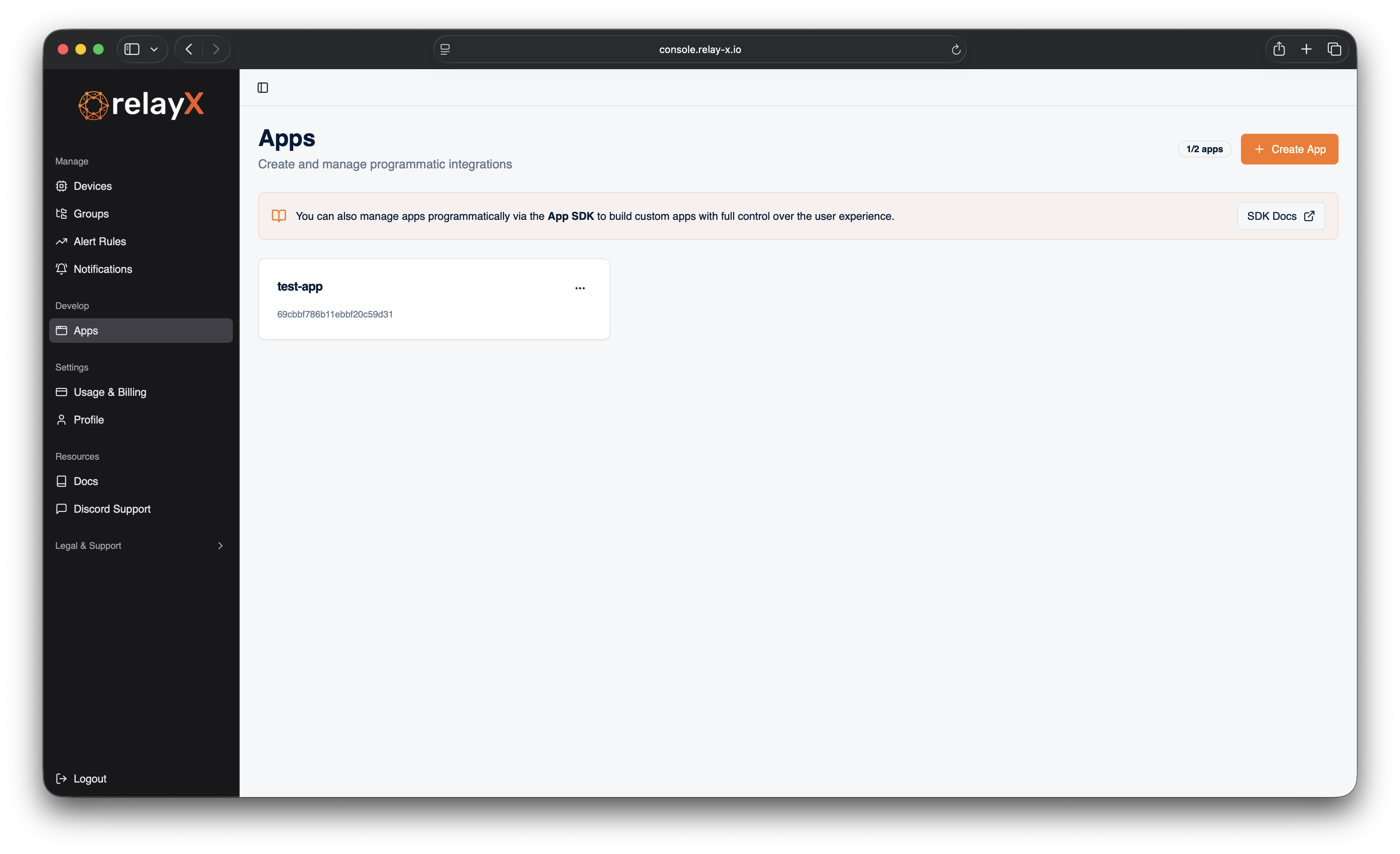
Open the apps page
Log into the dev console and navigate to Apps in the sidebar.
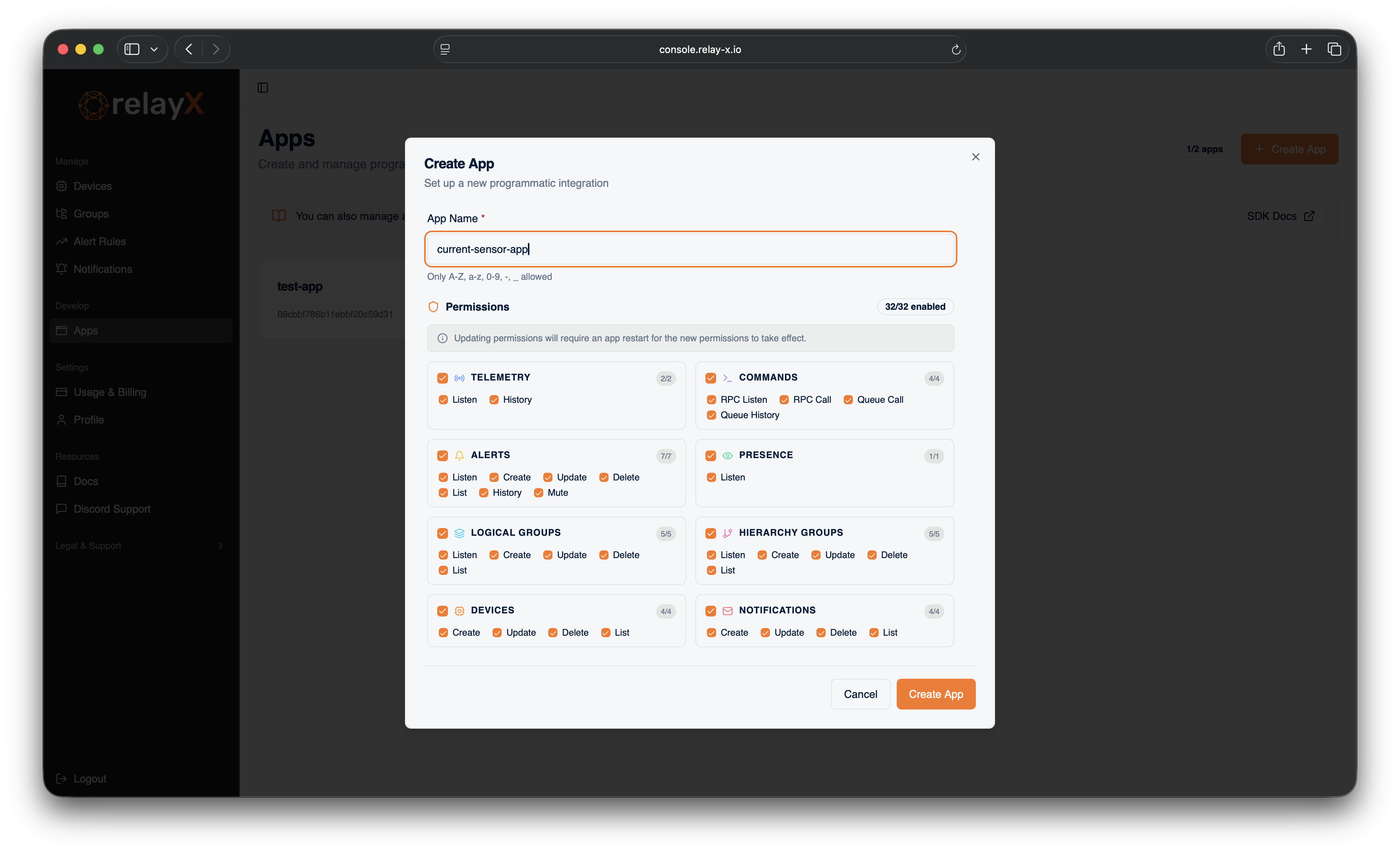
Fill in the app configuration
Click Create app and fill in the form. Give the app a name you'll recognize in the dashboard.
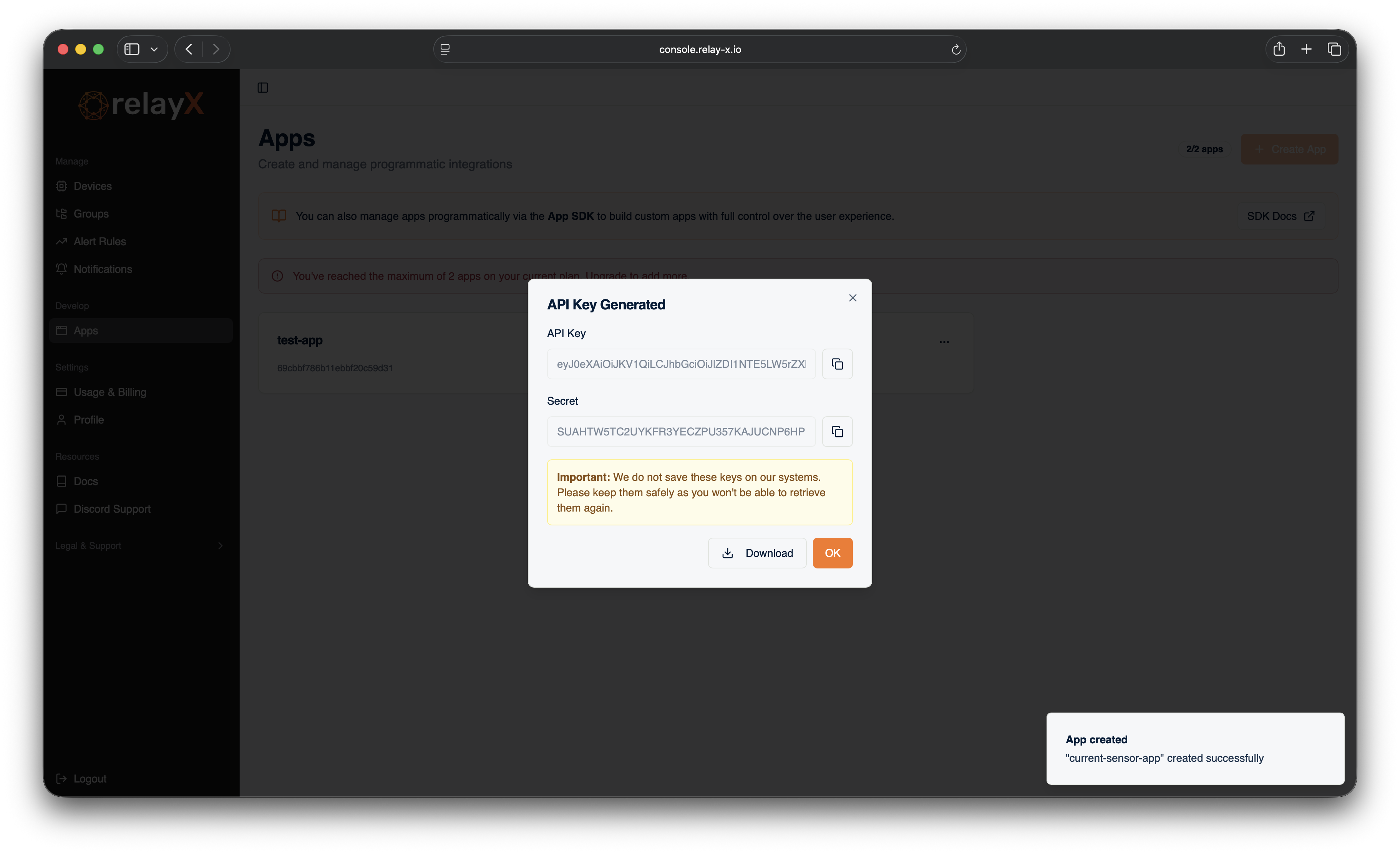
Save the credentials
When the app is created, the console shows the API key and secret one time. Download them now.
warning
The backend does not store these credentials. If you lose them, you need to regenerate a new pair from the app page. The old pair stops working the moment you do.
Step 2 of this track places these into dashboard/.env.local.